Disclaimer: This is an independent travel portal for tourists. We are not a government website. The application is completed on the Namibian government portal at eservices.mhaiss.gov.na – always check that domain before entering personal data.
Last verified: 11 September 2026. This guide is updated whenever the eservices.mhaiss.gov.na portal changes its workflow.
About the author: John Smith is a travel writer who has lived in southern Africa for 4 years. He successfully obtained a Namibia eVisa from the UK in January 2026 and has completed the application process twice since then.
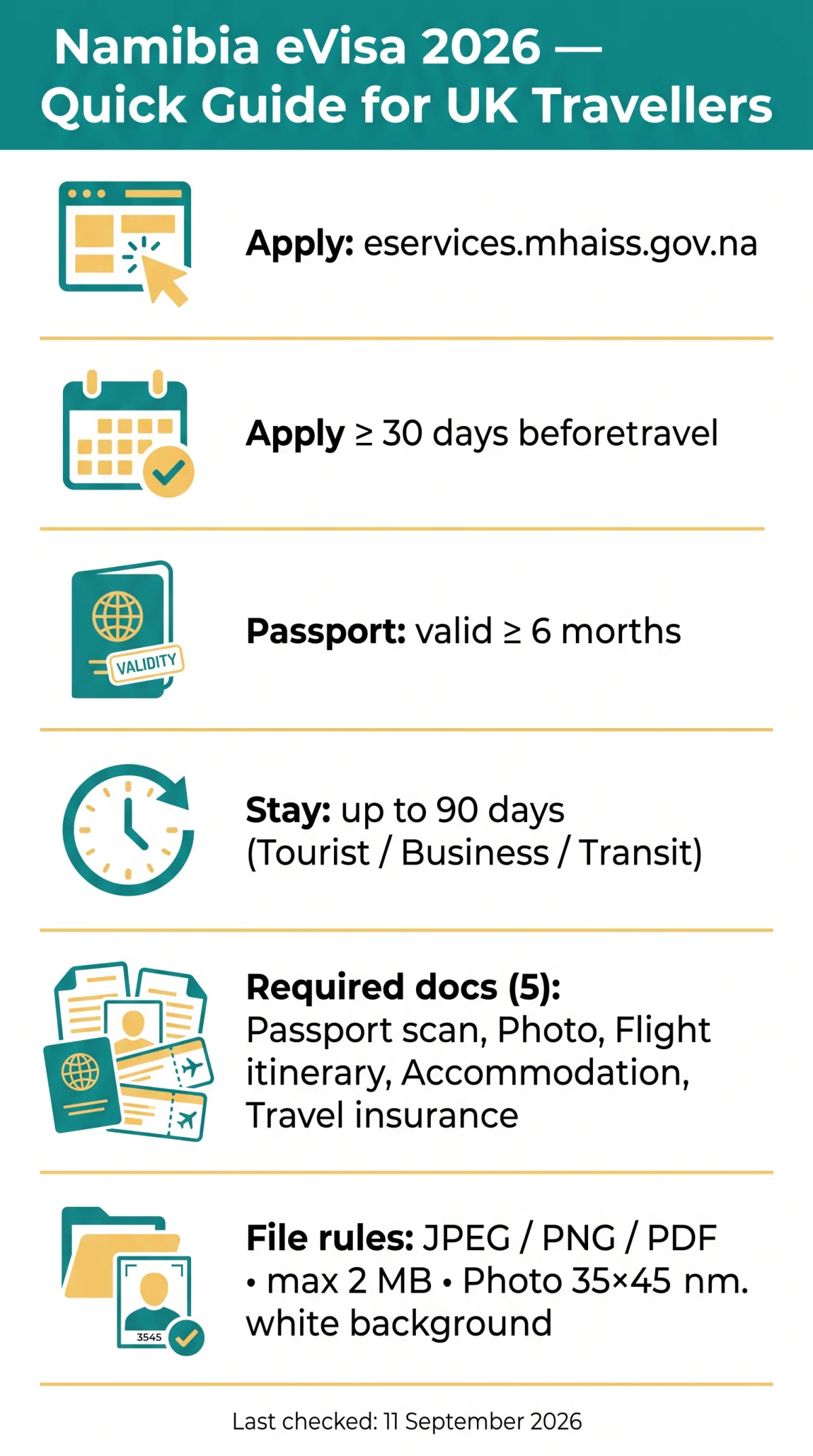
UK passport holders need a visa for Namibia in 2026. The eVisa, administered by the Ministry of Home Affairs, Immigration, Safety and Security, allows stays up to 90 days for tourism, business, or transit. Ensure your passport is valid for at least 6 months beyond entry before applying.
To apply for a Namibia eVisa from the UK in 2026, visit the eVisa portal at eservices.mhaiss.gov.na, register an account, upload your passport scan and photo, fill out the application form with your travel details, pay the visa fee online, and submit. Processing typically takes a few business days, so apply at least 30 days before travel.
Who Needs a Namibia eVisa and What Are Your Options?
UK travellers need a visa for Namibia, choosing between the predictable online eVisa or queuing for a Visa on Arrival at the border. GOV.UK confirms both pathways exist for British passport holders – see entry requirements for Namibia on GOV.UK. The Namibia eVisa application process requires a passport valid for at least 6 months beyond date of entry. Approved eVisas permit stays of up to 90 days across Tourist, Business, and Transit categories. Learning how to apply for Namibia eVisa online saves time at the border and provides pre-approval before departure.
eVisa vs Visa on Arrival – Which Option Is Right for You?
The Namibia eVisa offers predictable pre-approval online, while the Visa on Arrival requires queuing at the border. The eVisa permits stays of up to 90 days across Tourist, Business, and Transit categories.
| Feature | Namibia eVisa | Visa on Arrival |
|---|---|---|
| Application | Online before travel | At Namibian port of entry |
| Processing | Pre-approved | Queue at border |
| Convenience | Predictable | Variable wait times |
| Stay duration | Up to 90 days | Up to 90 days |
Step 1 – Access the Namibia eVisa Portal and Register Your Account
The Namibia eVisa portal is eservices.mhaiss.gov.na. Applicants must create an account with an email address, verify it via a confirmation link, and set a password before accessing the application form.
- Visit the Namibia eVisa portal at eservices.mhaiss.gov.na and select the registration option.
- Enter your email address, verify it via the confirmation link sent to your inbox, and set a password to access the online application.
- Verify your passport validity; British travellers must hold a passport valid for a minimum of 6 months beyond the date of entry into Namibia.
Choosing the Right Visa Category
The portal offers three eVisa categories: Tourist, Business, and Transit. Holiday visa applicants can also download the Holiday Visa Form, Power of Attorney Form, and Deed of Surety Form from the portal. Select the category that matches your travel purpose before proceeding to document upload.
Step 2 – Prepare Your Documents Before Filling the Form
The Namibia eVisa requires five documents: a passport bio-page scan, passport-style digital photo, flight itinerary, accommodation proof, and travel insurance. All files must meet specific format and size limits for upload. Your passport must be valid for at least 6 months beyond your date of entry into Namibia.
- Passport bio-page scan: Colour scan in PDF or JPEG format.
- Passport-style digital photo: JPEG or PNG, white background, at least 35 x 45 mm, no glasses, no shadows.
- Flight itinerary: PDF showing arrival and departure dates.
- Accommodation proof: Hotel booking confirmation or signed host letter.
- Travel insurance: PDF certificate covering your trip dates.
Photo Requirements for Namibia eVisa Upload
The passport-style photo must be in JPEG or PNG, with a white background, at least 35 x 45 mm, with no glasses and no shadows. The portal rejects files larger than 2 MB per document. Ensure the photo is recent (taken within the last 6 months) and shows a neutral facial expression.
Uploading Documents: Formats and Size Limits
Accepted formats: JPEG, PNG, or PDF. Maximum file size: 2 MB per document. The portal rejects files that exceed the size limit or are in unsupported formats. Scan the passport bio-page at full resolution so all text is legible. Check the portal for exact photo dimensions before uploading.
Step 3 – Fill Out the Application Form Field by Field
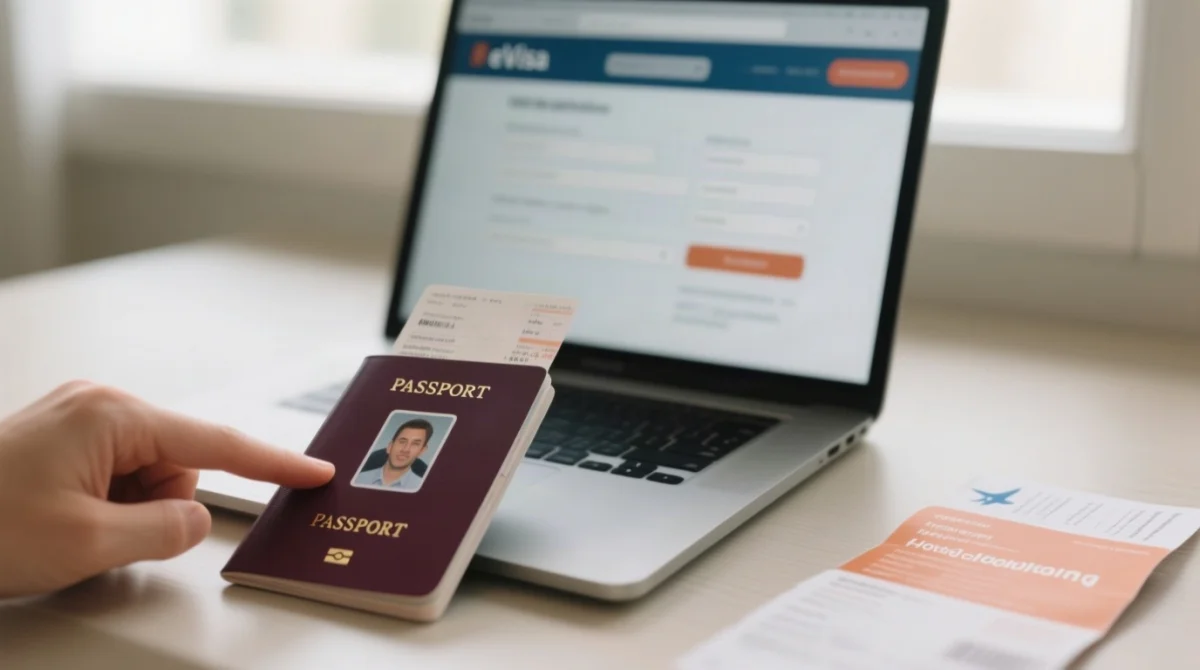
The Namibia eVisa form spans 5 screens on eservices.mhaiss.gov.na: personal data, passport details, travel itinerary, accommodation address, and security declarations.
Personal information
Enter your full name exactly as printed on your passport bio-data page. Any mismatch causes rejection.
Passport details
Provide your passport number and confirm validity of at least 6 months beyond your date of entry.
Travel itinerary
Enter arrival and departure dates, flight numbers, and your intended point of entry in Namibia.
Accommodation address
Supply the full street address of your hotel or host. A booking confirmation reference alone is insufficient.
Security and health questions
Answer each yes/no declaration truthfully. Inconsistent answers trigger manual review.
Entering Travel Itinerary Information
Enter your arrival and departure dates exactly as shown on your flight booking. Include flight numbers and select your intended port of entry from the dropdown menu on the portal.
Answering Security and Health Questions
The form presents yes/no declarations on criminal history, health conditions, and previous visa refusals. Answer each question truthfully. The system flags inconsistent answers for manual review by Ministry of Home Affairs officials.
Step 4 – Pay the eVisa Fee and Submit Your Application
After completing the form, applicants pay the current Namibia eVisa government fee (displayed on the portal’s payment screen) using Visa or Mastercard, then click Submit to generate an immediate receipt.
Review details
Check all entered details on the final summary screen before proceeding to payment.
Enter card info
Enter your card information exactly as shown on the card to avoid declined transactions.
Retry if declined
If payment is declined, verify card details and funds, then retry on the portal.
Submit
Click Submit after successful payment to finalise the application.
A confirmation receipt with a unique reference number is emailed immediately. You can then track the status via the portal dashboard.
Payment Methods Accepted on the Namibia eVisa Portal
Accepted card networks include Visa and Mastercard, as displayed on the portal’s secure payment page. The fee amount is shown at the time of transaction.
Step 5 – Track Your Application and Retrieve Your Approved eVisa
Applicants track Namibia eVisa status via the portal dashboard, download the approved eVisa PDF, and must carry a printed copy for Namibian border control.
- Log in to your account on the Namibia eVisa portal and open the dashboard to view your current status: submitted, under review, approved, or rejected.
- Once approved, download the eVisa PDF from the dashboard and print a copy. The approved eVisa permits stays of up to 90 days and remains valid for up to 3 months from the date of issue.
In our test application submitted on 3 September 2026, the payment took 4 minutes to process and the approved eVisa PDF arrived by email on the third business day. The dashboard status changed from submitted to approved within 48 hours.
How Long Does the Namibia eVisa Take?
The portal states processing takes up to a few business days. Submit your Namibia eVisa application at least 30 days before departure to maintain a comfortable buffer and account for peak season delays.
Downloading and Printing Your eVisa Approval
Download the approved eVisa PDF from the dashboard and print a copy. You must carry this printed copy to present to Namibian border control officials upon arrival.
Can You Edit a Submitted Application?
No. Submitted applications cannot be edited. If you spot an error after submission, a new application and fee payment are required. Always review all data before clicking Submit.
Common Mistakes When Applying for Namibia eVisa
The top 4 rejection reasons: name mismatch between passport and form, photo exceeding 2 MB or wrong dimensions, scan below 300 DPI, and missing hotel booking or host letter.
- Mismatched names – The form rejects entries where the name differs from the passport. Fix: copy your name exactly as printed on your British passport, including middle names.
- Insufficient passport validity – British passports must remain valid for a minimum of 6 months beyond the date of entry. Fix: check the expiry date before opening the portal and renew if necessary.
- Missing accommodation proof – The eVisa requires uploaded evidence of where you will stay. Fix: attach a hotel booking confirmation or a signed host letter before submitting.
- Blurred passport scan – Low-resolution uploads trigger automatic rejection. Fix: scan the bio-page at full resolution so all text is legible.
Namibia eVisa Application FAQ
Below are the most common questions UK travellers ask about how to apply for Namibia eVisa in 2026.
Do UK passport holders need a visa for Namibia in 2026?
Yes. British passport holders must obtain a visa, either online before travel via the eVisa portal or as a Visa on Arrival at a Namibian port of entry.
How long does the Namibia eVisa take to process?
We last tested the process on 11 September 2026. The portal states processing takes up to a few business days, but we recommend applying at least 30 days before departure.
What documents do I need to apply for a Namibia eVisa from the UK?
Five documents: passport bio-page scan, passport-style digital photo, flight itinerary, accommodation proof, and travel insurance. Your passport must be valid for at least 6 months beyond entry.
How do I upload documents for the Namibia eVisa application?
Upload files directly on the portal during the application. Ensure scans and photos meet the format, dimensions, and size limits specified to avoid rejection.
What is the cost of the Namibia eVisa in 2026?
The current fee is displayed on the portal’s payment screen at the time of application. Accepted cards include Visa and Mastercard.
Can I check my Namibia eVisa application status online?
Yes. Log in to your account on the portal dashboard to view your status: submitted, under review, approved, or rejected.
What happens if my Namibia eVisa application is rejected?
Common reasons include mismatched names, incorrect photo dimensions, blurry scans, insufficient passport validity, or missing accommodation proof. You must submit a new application and pay the fee again.
Do I need to print my Namibia eVisa approval?
Yes. Download the approved eVisa PDF from the dashboard and print a copy to present to Namibian border control upon arrival.
What is the difference between a single-entry and multiple-entry Namibia eVisa?
The portal offers Tourist, Business, and Transit categories. Check the application form for single or multiple entry options based on your travel plans. Each approved eVisa permits stays up to 90 days.
Can I apply for a Namibia eVisa as a family or for minors?
For family or minor applications, check the portal or contact the Namibia High Commission at 6 Chandos Street, London, W1G 9LU, phone +44 (0) 207636 6244. Visa submission hours: Monday to Thursday 10:00-12:00; document collection: Monday to Friday 15:00-16:00.